Smooth video
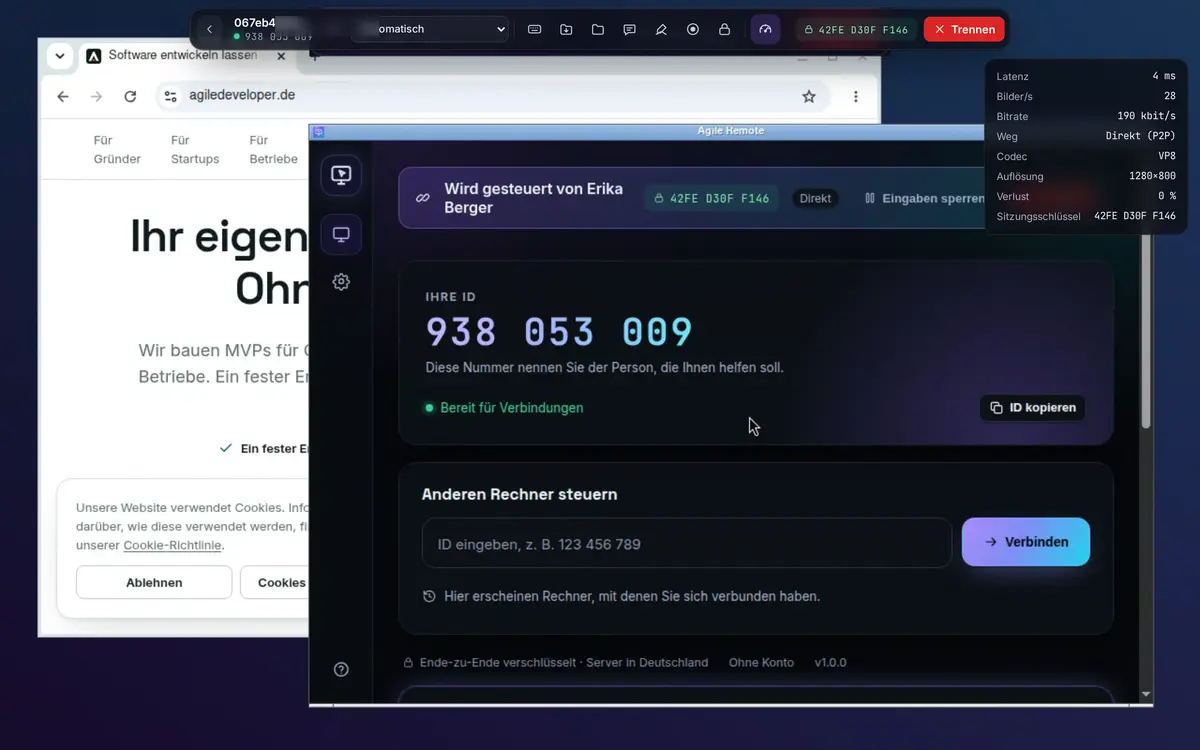
WebRTC with hardware codecs and congestion control adapts quality and frame rate continuously. Multiple monitors, full screen, 1:1 or fit.
New: remote control from Germany
Agile Remote connects you to any Windows, Mac or Linux computer in seconds: smooth video, files, clipboard and chat. End-to-end encrypted, with built-in protection against scam calls. Whoever controls only needs a browser.
Features
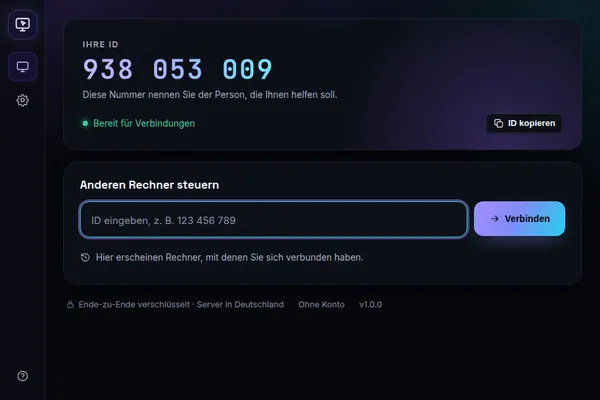
One app for both: share this computer or control another one. Plus a dashboard for all devices and a viewer that runs right in the browser.
WebRTC with hardware codecs and congestion control adapts quality and frame rate continuously. Multiple monitors, full screen, 1:1 or fit.
The helper installs nothing: Chrome, Edge, Firefox or Safari are enough, even on tablets and phones with touch gestures.
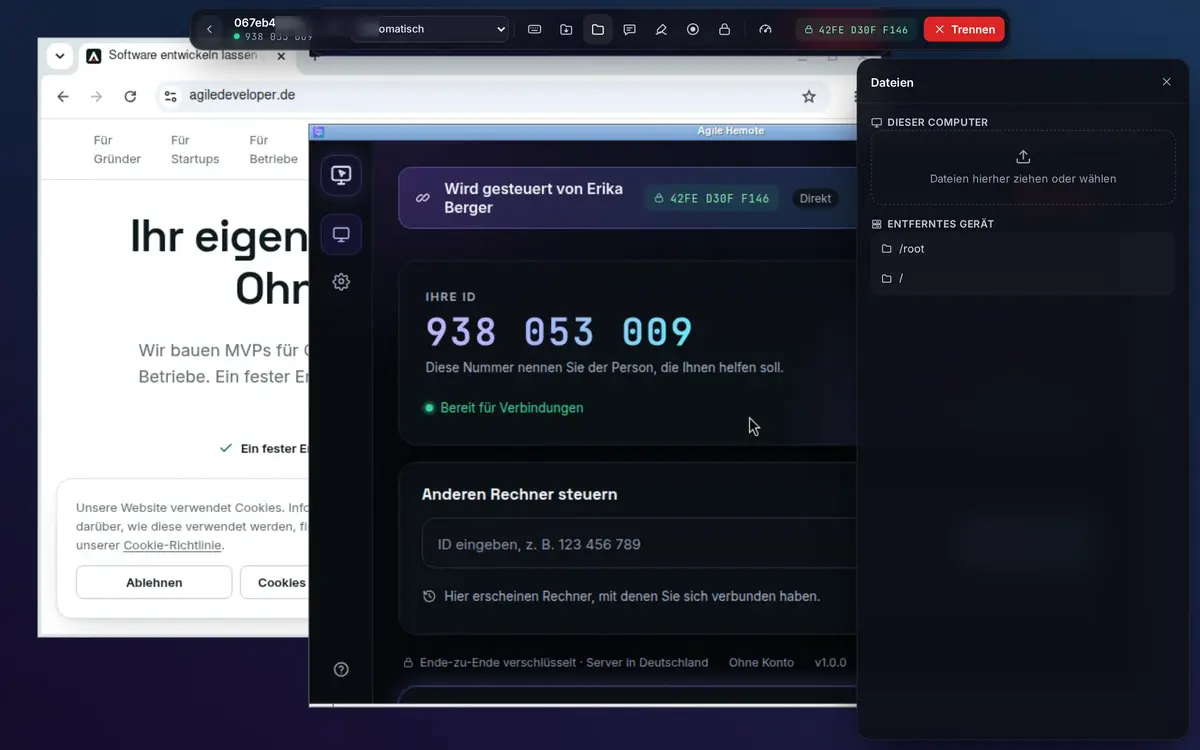
Files via drag & drop or the two-pane file manager, with progress and cancel. Text and images via the clipboard, both ways.
Reach your own computers any time, with a password or only via your account. It can only be set up on the device itself.
Chat in the session, pointer and drawing to explain, video recording on the controlling side with a visible notice for the other side.
Your customer opens your link, runs the app without installing, and you see the request in your dashboard right away. Ideal for phone support.
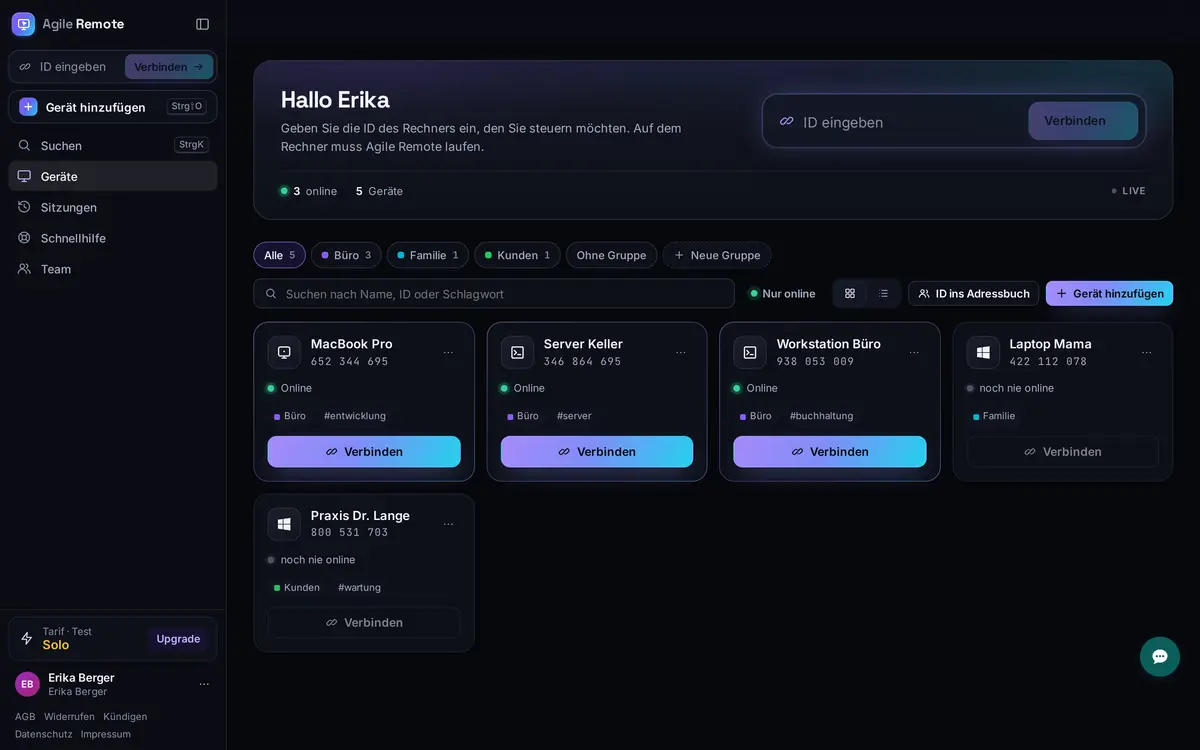
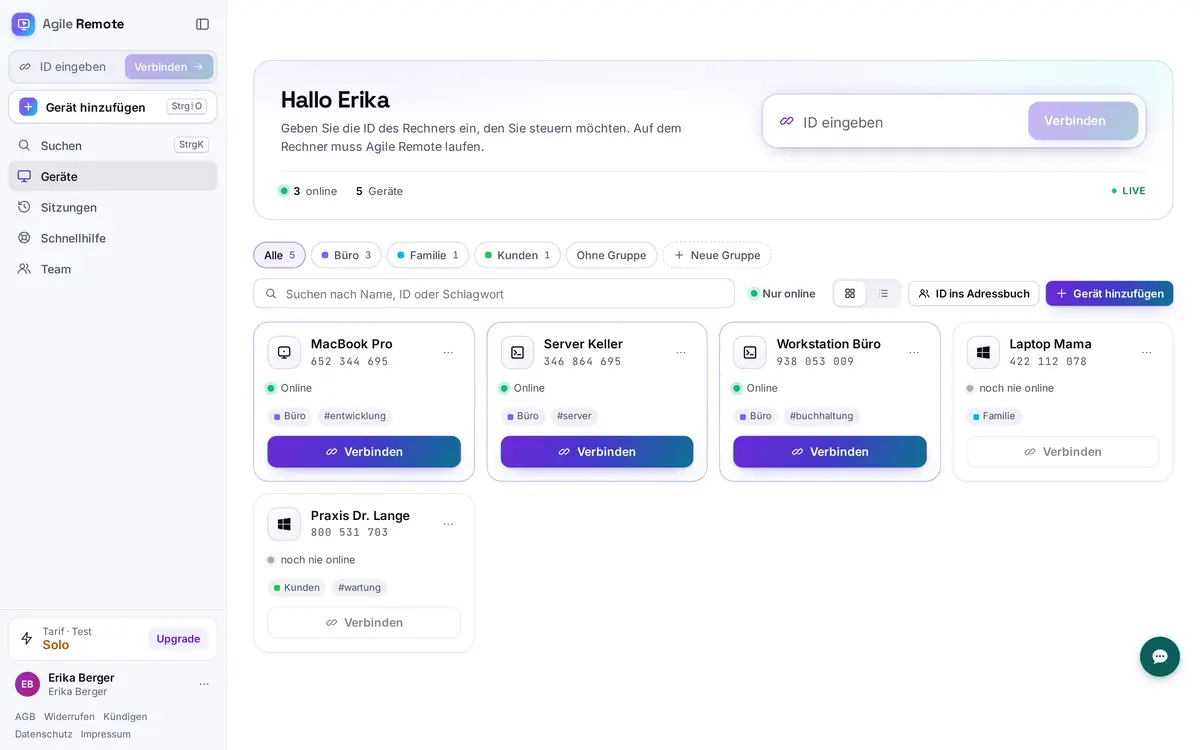
All computers with live status, groups, tags and search. Command palette with Ctrl/⌘+K, connect with one click.
Latency, frames per second, bitrate and path (direct or via our relay) always in view. Special keys and view-only built in.
Dashboard
The dashboard shows in real time which devices are online. Sort computers into groups, grant rights per person and see every session in the history.
How it works
On the computer to be controlled: download and open Agile Remote. For one-off help it even runs without installation.
The app shows a 9-digit ID. Tell it to the person helping you. Or send a quick support link.
The request appears on the computer with name and permissions. The screen is only visible after “Accept”, and you can disconnect any time.
Security & scam protection
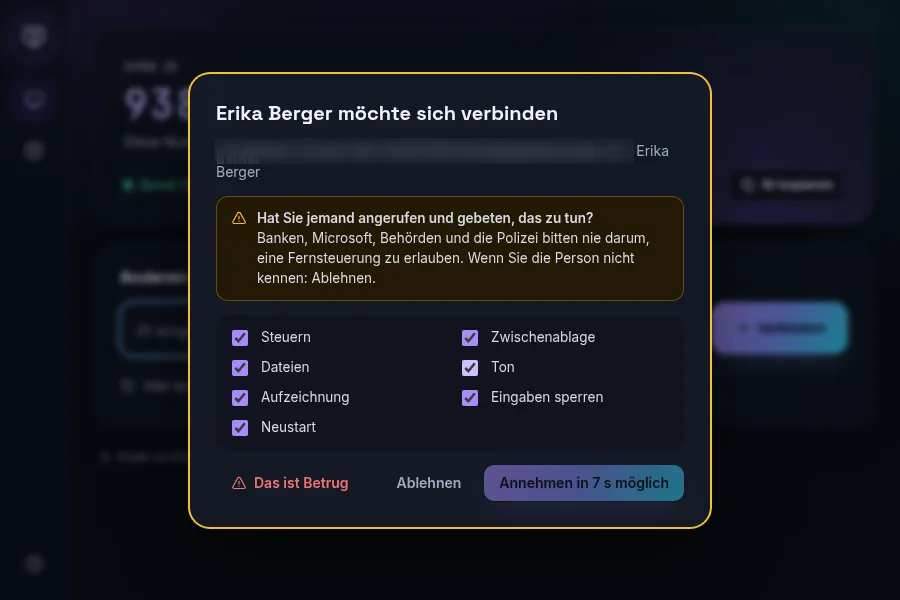
Remote access is often abused for fraud: someone calls, pretends to be your bank, Microsoft or the police and asks for access. Agile Remote steps in between.
If an unknown account connects, the computer shows a clear warning screen. Accepting is only possible after a short delay.
Ends the session immediately, suspends the caller’s account and reports the case to us.
Video, input and files travel via DTLS-SRTP directly between the devices. A session key shown on both sides makes this verifiable.
The controlled computer shows “controlled by …” with a disconnect button. Recording is announced, input can be blocked.
Two-factor sign-in, new browsers confirmed by email code, lockout after wrong passwords, audit log of all sessions.
Account, connection setup and relay run on our own servers in Nuremberg. No tracking, DPA for businesses.
Who it’s for
Help your parents with the printer or reach your home PC from the laptop. Free for private use.
Free · free
Connect customers via quick support link, exchange files, document sessions. Commercial use from Solo.
Solo · from 9.99 € a month
Reach your office computer from home, unattended and without VPN tinkering.
Solo · from 9.99 € a month
Shared address book, roles, rights per group, audit export, API and your own logo in quick support.
Team · from 19.99 € a month per user
Pricing
No teaser prices, no forced annual plan. Paying yearly saves about two months.
For helping privately
0 €forever
For freelancers and home office
9.99 €per month
incl. VAT
For IT teams and businesses
19.99 €per month per user
plus VAT
Agile Remote is free for private use (3 devices, sessions up to 60 minutes). Solo costs 9.99 € a month or 99.00 € a year incl. VAT and allows commercial use. Team costs 19.99 € per user and month plus VAT, from 2 users.
No. Control happens right in the browser at remote.agiledeveloper.de, on a computer or a phone. Agile Remote is only installed on the computer being controlled, and for one-off help it even runs without installation.
Video, input and files are end-to-end encrypted (DTLS-SRTP) directly between the devices. Both sides see the same session key. Access is only possible after acceptance on the computer or with unattended access, which can only be set up on the device itself.
When an unknown account connects for the first time, the computer shows a clear warning and only allows accepting after a delay. “This is a scam” ends the session immediately and suspends the caller’s account. Banks, Microsoft and authorities never ask you to install remote access software.
The app is available for Windows 10 and 11, macOS 12 and later (Intel and Apple Silicon) and Linux (.deb, .rpm, AppImage, x64 and ARM). You can also control from any current browser.
Yes. Monthly plans can be cancelled monthly, with one click in settings or via the cancellation button. Annual plans renew after the first year with a one-month notice period.
In Germany, in Nuremberg. Account, connection setup and relay run on our own servers. We do not store screen contents.
After 14 days your account simply continues for free (Free, private use only). Nothing is charged because we don’t ask for payment details to start.
Create an account, download the app, share the ID. Two minutes later you see the other screen.
14 days of all Solo features · no payment details · then free for private use